
Fusion 360 is an integrated 3D CAD, CAM, CAE, and PCB software for designers, engineers, machinists, fabricators, inventors, and doers. You can control your data, drive your machines, simulate your outcomes, electrify your designs, and fabricate your visions.
Autodesk Fusion 360 3D CAD software offers an easy-to-use set of tools for 3D mechnical design, engineering and simulation, CAM, and team collaboration. In this introductory course, students acquire the knowledge needed to complete the process of designing models from conceptual sketching, through to solid modeling, assembly design and drawing production. This course is intended as an introductory training guide. Autodesk Fusion 360 Fundamentals does not assume prior knowledge of any 3D modeling or CAD software. Students do not need to be experience with the Windows operating system and a background in drafting of 3D parts is recommended.
This course will allow you to quickly start using Fusion360 and be able to put your 3D modeling skills to good use.
• Navigate the Autodesk Fusion 360 user interface
• Generating 3D parts from sketches
• Placing and constraining/connecting parts in assemblies
• Assembly Part Lists
• Creating and annotating drawings and views
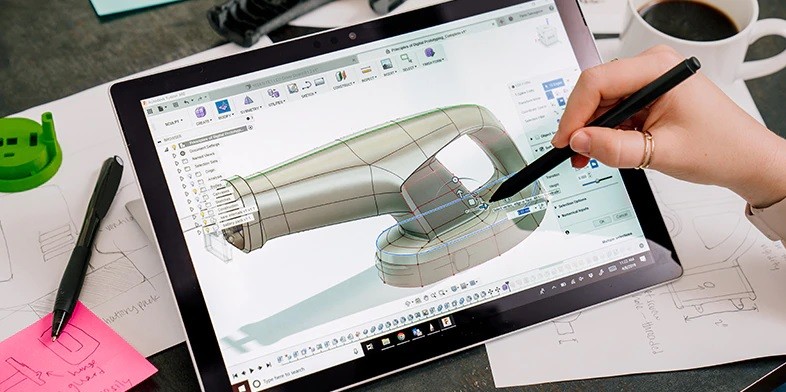
Fusion 360 is important because it’s a utility software tool that can do everything in one place. You can crate 3D designs, collaborate, manage data, create toolpaths, run simulation to validate your designs, and much more. It is a next generation design tool that will continue to have a huge impact on the community.
THE DESIGN WORLD offers professional learning in Fusion 360 for various professionals. We provide dedicated teaching staff with the option of customizing every course you undertake with us. Our course provides a life-skill and competency for future employability. Learning from THE DESIGN WORLD DEHRADUN and partaking in this drafting and designing course of Fusion 360 is the best way of gaining proficiency in it
FUSION 360 expert professionals have numerous career paths laid in front of them. These professionals can find work in engineering firms as drafters, in architecture firms as well and any technology company that caters to 3D rendering, modelling and much more. This expertise provides additional skill sets to professionals and prospers their careers.

This course can be taken by students from various fields such as mechanical, architecture, civil,electrical and even interior and graphic design, who wish to learn Fusion 360 from its basics to an advanced level.
